Voice Assistants in Loud Places With OpenAI Realtime
One OpenAI Realtime voice component fills every form in a restaurant app, survives a loud room, and gets almost all of its tuning through the prompt.
The request from restaurant staff was not for an AI feature. It was for less tapping. Entering a reservation means name, phone, table note, guest count and duration, typed with one hand while standing, and that competes with the actual job. They wanted to say it once and have the form filled. Everything below is what that requirement turned into.
- OpenAI Realtime handles capture, transcription and field extraction in one session, so there is no separate speech-to-text service feeding a second model call. That collapses the pipeline and removes a place where latency accumulates.
- One voice component serves every form in the app. Per screen only two things change: the extraction instructions and the output schema. Everything else, meaning transport, audio lifecycle, error states and the sheet, is shared.
- Transcription quality across Macedonian, Serbian, Bulgarian and English was good enough that almost all remaining tuning happens in the prompt, not in audio processing or model selection.
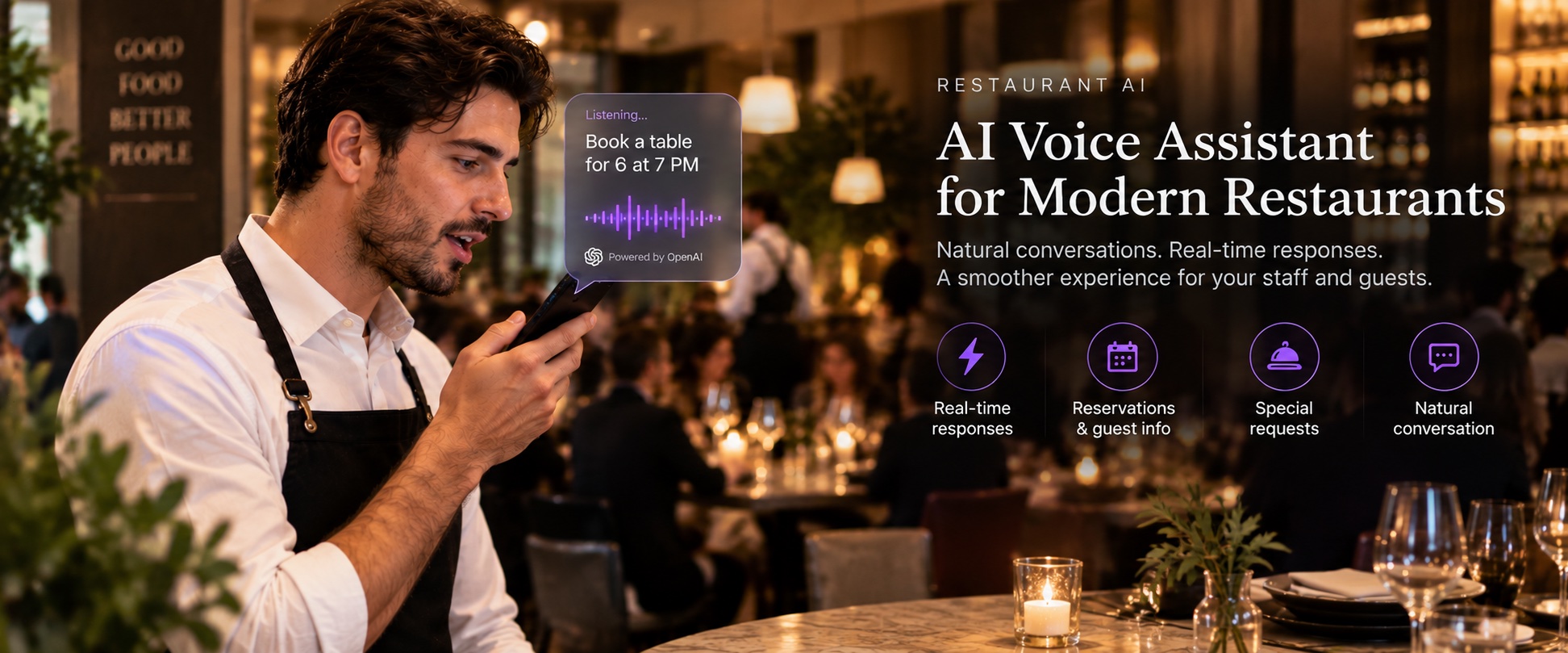
What the staff actually asked for
They wanted the microphone, and analytics agreed with them before I did. On screens where a form offered both a keyboard and a microphone, staff picked the microphone almost every time, consistently enough that extending voice to the remaining forms stopped being a decision.
Important part of the requirement: they did not want a conversation. Nobody wants to be asked "and how many guests?" by a phone while standing at a table. They want to say the whole reservation in one sentence and see it in the fields, then fix whatever is wrong and submit.
So the target was never a chat interface. It was structured form input where speech goes in and known field IDs come out.
Why OpenAI Realtime fits this shape
OpenAI Realtime is a stateful, streaming API that keeps one session open over WebRTC or WebSocket and handles audio in and model output in the same connection. The alternative shape, and what I would have built two years ago, is record audio, upload it, transcribe with a speech API, then send the transcript to a second model for extraction. Three network round trips, two vendors, and every one of them adding latency the user feels.
Concretely what the API gives you here:
- Session configuration server-side. One
session.updatesets output modalities, transcription model, and turn detection behaviour, and the session keeps that config until you change it. - Text-only output. Setting
output_modalitiesto text means the model never synthesizes speech, so you are not paying for audio generation you would immediately discard. - Input transcription alongside extraction.
input_audio_transcriptionreturns what the user said, separately from the structured response, which turns out to be useful for debugging and for fields where you trust raw transcription more than the model's interpretation. - Ephemeral credentials. The permanent API key never enters the app. The client authenticates against my own backend, which mints a short-lived realtime token and returns it with an expiry. The app caches it and refreshes when it is missing or close to expiring.
The fit is mostly about the pipeline collapsing. Speech arrives, extraction comes back, and there is only one place to configure and one place where things break.
One component, two things different per screen
The wrong build here is a voice implementation per screen. It works the first time, and then every new form brings its own microphone state, its own parsing, its own audio lifecycle bugs.
The shared component takes field definitions and a prompt builder. Per screen, only the extraction instructions and the output schema differ:
// the reservation screen. the gallery screen passes four text fields
// and gets the same sheet, same transport, same error handling
VoiceFormAssistantViewModel(
    fields: [
        VoiceField(id: "name",        hint: "person name only, not a table note"),
        VoiceField(id: "phone",       hint: "digits only, strip spaces"),
        VoiceField(id: "comment",     hint: "seating or table preference"),
        VoiceField(id: "peopleCount", hint: "integer"),
        VoiceField(id: "duration",    hint: "minutes as integer, convert if hours spoken"),
    ],
    promptBuilder: ReservationVoicePrompt.build
)
Somebody says "Marko Petrovski, 070 123 456, by the window for 4 people for 2 hours" and the schema forces the shape of what comes back:
{
  "name": "Marko Petrovski",
  "phone": "070123456",
  "comment": "by the window",
  "peopleCount": "4",
  "duration": "120"
}
Notice the duration. Person said hours, the form stores minutes, and that conversion lives in the instructions rather than in a parsing layer afterwards, because a parser would have to understand the sentence again from scratch.
Filled values go into the same local state the typed form uses. No separate submit path for voice, no second validation. Once the fields are populated the ordinary code sends the reservation, which is boring on purpose, since a voice feature with its own write path is a second place for bugs to live.
There is a useful side effect. If I cannot write the field contract for a screen, that screen is not ready for voice. Vague fields give vague extraction, and finding that out while writing a struct is much cheaper than finding it out after shipping.
The WebRTC part, and the part that costs money
Transport is standard: configure the audio session, create the peer connection, attach the microphone track, open a data channel, exchange SDP with the Realtime endpoint, then read events off the channel. I wrote that in an afternoon.
Two things after that were not standard.
Connection readiness. All of the above has to finish before captured audio can be trusted, and a user tapping a microphone starts speaking in roughly half second. Show a ready state too early and the server buffer begins mid-sentence, which reads exactly like the model misheard. There is no error and no low confidence to warn you. Fix is to open the connection when the sheet appears, cover the setup with a short countdown, and flip to ready only on the data channel open event.
An open session is not free. Realtime bills audio, and a live session with the microphone enabled keeps sending audio whether or not anybody is speaking. Leave a sheet open on a table for ten minutes and you are paying to transcribe a restaurant.
What I do about it:
- Open on sheet presentation, not on app launch, and never hold a session across screens.
- Close the peer connection on dismiss, on backgrounding, and on error. Miss one path and the microphone indicator stays on, which also gets you a review.
- Disable the local audio track between capture windows rather than tearing down and rebuilding the connection, since teardown costs you the warm-up latency again.
- Idle timer that closes the session if nothing has been captured for a while.
- Cache the ephemeral token and refresh only when missing or near expiry, so you are not minting credentials on every sheet open.
Noise, and the guards that survived it
Ambient conversation sits within about three metres of the microphone for the entire session, and that produced two failures worth naming.
First, warm-up audio. Keeping the audio track alive during connection setup improves reliability and captures the room before the user is meant to start. So immediately before signalling ready, send input_audio_buffer.clear. Without it every request opens with a second of somebody else's conversation, and leading audio has disproportionate effect on how the utterance gets segmented.
Second, turn detection. Server-side VAD commits when it detects speech offset, and it cannot tell whose speech ended. In a shared room a stranger's word gets committed into a customer field:
{
  "type": "session.update",
  "session": {
    "type": "realtime",
    "output_modalities": ["text"],
    "audio": {
      "input": {
        "turn_detection": null,
        "transcription": { "model": "whisper-1" }
      }
    }
  }
}
With turn_detection null nothing commits until the user presses Stop. You lose the conversational feel, and for somebody dictating another person's phone number that is a good trade.
One more guard: enforce a minimum capture duration before committing, because users release Stop faster than the pipeline delivers and an empty commit reads as the assistant ignoring them. 2.5 seconds came from watching people, not from reasoning about buffers.
Getting better speech to text, mostly by writing better instructions
This is the part that surprised me. Almost everything that improved quality was prompt work, not audio work.
What helped, roughly in order:
- Tell the model the field's format, not just its name. "phone: digits only, strip spaces" fixed more phone errors than anything else I tried. Same for durations in minutes and counts as integers.
- Give the domain vocabulary. Dish names, table locations, the words this business actually uses. A model that has seen "by the window" and "terrace" in the instructions handles them far better than one guessing from acoustics.
- Two or three examples in the instructions, written the way users really speak, including the messy ordering where a phone number arrives in the middle of a sentence.
- Make empty an acceptable answer. Say explicitly that a field the user did not mention should come back empty. Without that, models fill it with something plausible, and a plausible wrong phone number is worse than a blank one.
- Keep raw transcription for the fields you do not want interpreted. Names are the case here. Interpretation helps a table note and hurts a surname.
- Do not ask for reformatting you can do in code. Capitalisation, trimming, padding. Every instruction you add competes for attention with the ones that matter.
What to be careful with: long instruction blocks degrade rather than improve, so adding a rule for every past mistake makes the next extraction worse. When I add a rule now I usually remove one. And the schema is the real guard, not the prose. A closed enum and a required field catch drift that instructions alone will not.
It handles four languages without special handling
Transcription quality across Macedonian, Serbian, Bulgarian and English was better than I expected, and this was the risk I had priced highest before starting. Three of those are South Slavic and two share Cyrillic, and I assumed I would end up with per-language models or at least per-language prompts.
I did not. The same session config handles all four, and staff switching between them mid-sentence, which happens constantly here, mostly works.
That is the reason the concept of this build ended up being prompt tuning rather than audio engineering. When recognition is not the bottleneck, quality lives in how well you described the form to the model, and that is a text file you can iterate in minutes.
FAQ
Why use OpenAI Realtime instead of speech-to-text plus a second model call?Realtime keeps one session for capture, transcription and extraction, so you avoid uploading audio, waiting for a transcript, then making a separate extraction request. Fewer round trips, one place to configure, and one place where things break.
How do you get structured fields out of OpenAI Realtime instead of plain text?Declare the field IDs and a format rule for each in the session instructions, request the response only when the user stops, and validate against a schema before applying. The schema does more work than the prose, since it catches invented field names and wrong types that instructions alone will not.
Does OpenAI Realtime handle languages other than English well?In my testing across Macedonian, Serbian, Bulgarian and English, yes, with the same session config and no per-language prompts. Staff also switch languages mid-sentence and that mostly survives, which was the outcome I had least expected.
How do you keep OpenAI Realtime costs down in a mobile app?Do not hold sessions open. Open on sheet presentation, disable the local audio track between capture windows, close the connection on dismiss, background and error, and add an idle timeout. An open session with a live microphone bills audio whether anybody is speaking or not.
Conclusion
Voice input on these forms works, and it works mostly because very little of it is clever. One shared component, per-screen instructions and a schema, connection warmed before capture, turn detection off, buffer cleared at the boundary. The model was rarely the thing that was wrong.
If you build something similar, order matters. Get the audio lifecycle correct first, then spend your time writing instructions, because that is where the remaining quality lives. Four languages on one session config was the part I expected to fight with and did not.
What I do not have yet is a number. The only honest measure of quality here is how often staff correct a field before pressing submit, and until I collect that, everything above is judgement rather than measurement.